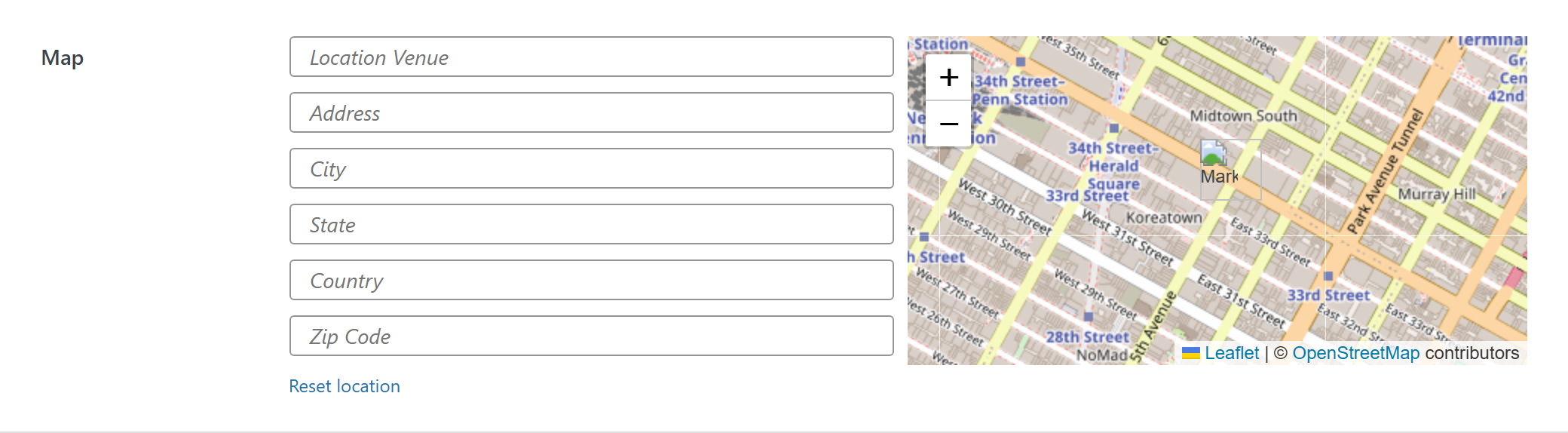
Map
Google maps location.
$options = [
	'demo_map' => [
		'type' => 'map',
		'value' => [
			'coordinates' => [
				'lat' => -34,
				'lng' => 150,
			]
		],
		'attr' => [ 'class' => 'custom-class', 'data-foo' => 'bar' ],
		'label' => __('Label', 'unysonplus'),  // or false to hide the label column
		'desc' => __('Description', 'unysonplus'),
		'help' => __('Help tip', 'unysonplus'),  // string, or [ 'icon' => 'video', 'html' => '…' ]
	],
];
Reading the value
map returns an array — read a field by key (the full shape is in Saved value below).
In a shortcode
The shortcode framework passes the option values into view.php as $atts:
$value = $atts['demo_map'];
$c = $value['coordinates'];
printf( '%s (%s, %s)', esc_html( $value['address'] ), esc_attr( $c['lat'] ), esc_attr( $c['lng'] ) );
In a page template — a per-page option
Options defined on a post/page (a metabox) are read with fw_get_db_post_option():
$value = fw_get_db_post_option( get_the_ID(), 'demo_map' );
$c = $value['coordinates'];
printf( '%s (%s, %s)', esc_html( $value['address'] ), esc_attr( $c['lat'] ), esc_attr( $c['lng'] ) );
When the field is one of several inside a box/group, read the whole group once and pick fields by key — the common CPT pattern (e.g. a review or book box):
$book  = fw_get_db_post_option( get_the_ID(), 'book' );
$value = $book['demo_map'];
$c = $value['coordinates'];
printf( '%s (%s, %s)', esc_html( $value['address'] ), esc_attr( $c['lat'] ), esc_attr( $c['lng'] ) );
In Theme Settings — a global option
Global options are read with fw_get_db_settings_option():
$value = fw_get_db_settings_option( 'demo_map' );
$c = $value['coordinates'];
printf( '%s (%s, %s)', esc_html( $value['address'] ), esc_attr( $c['lat'] ), esc_attr( $c['lng'] ) );
Saved value
fw_print( fw_get_db_settings_option( 'demo_map' ) ) outputs — the shape of this option type's stored value:
Array
(
    [coordinates] => Array
        (
            [lat] => 40.7128
            [lng] => -74.006
        )

    [address] => New York, NY, USA
)