Contact Form
A drag-and-drop contact form you can drop straight onto a page. Provided by the Forms extension — activate it from Unyson+ → Extensions for this element to appear in the builder.
The options open in a modal with a Form Fields builder and a Settings section.
Form Fields
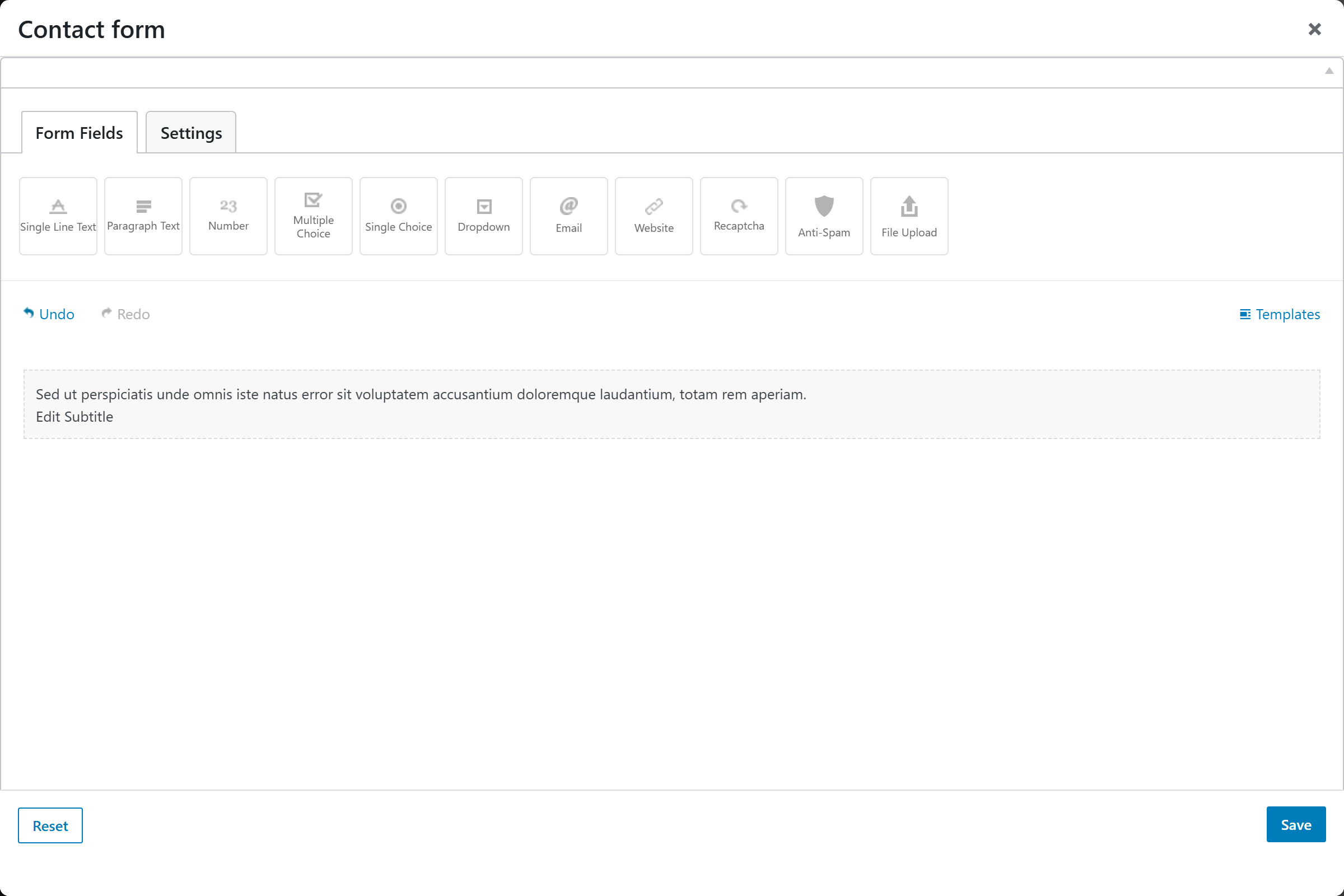
- Form — a drag-and-drop form builder (header/title, text inputs, textarea, and the other form field types) for laying out the form.
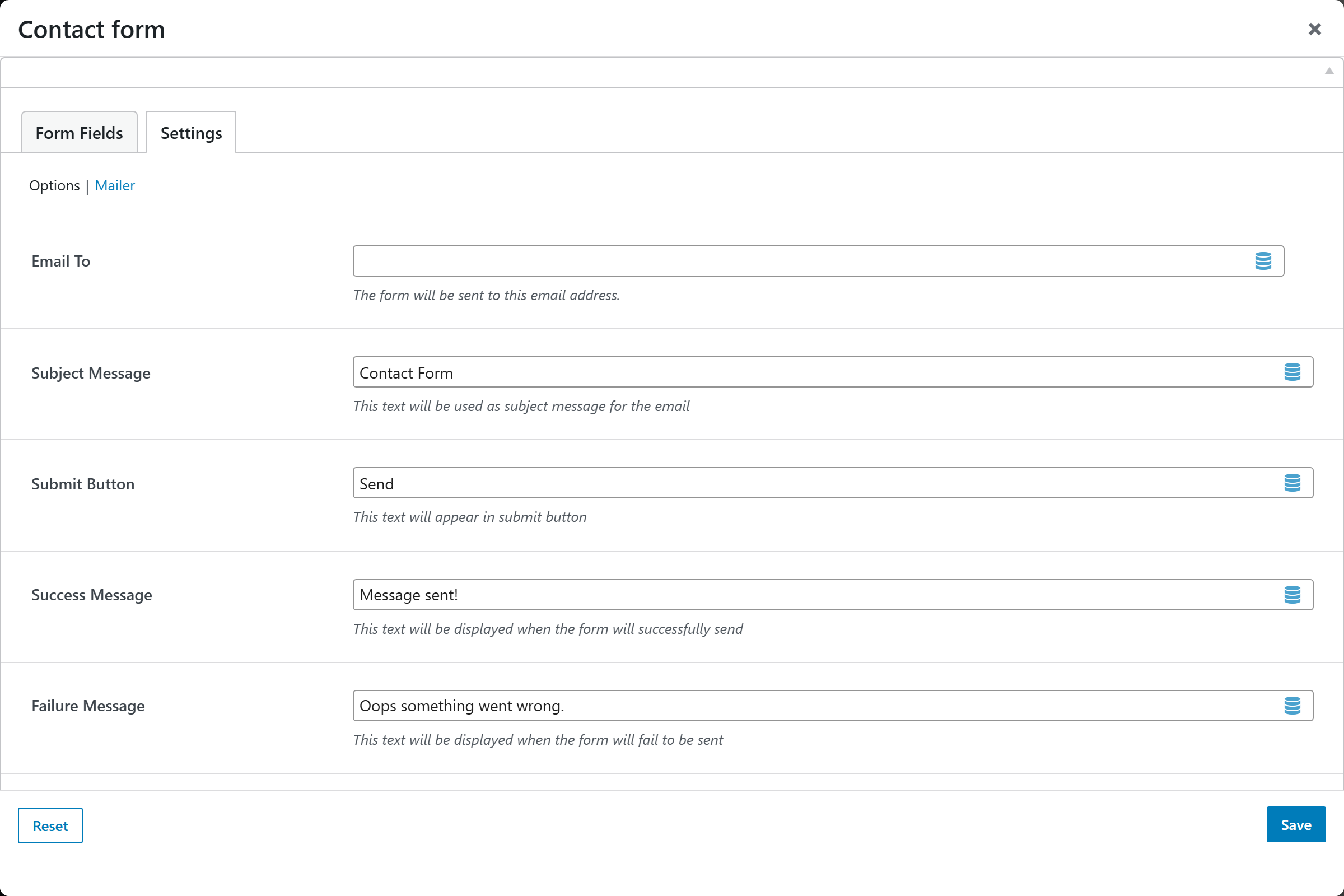
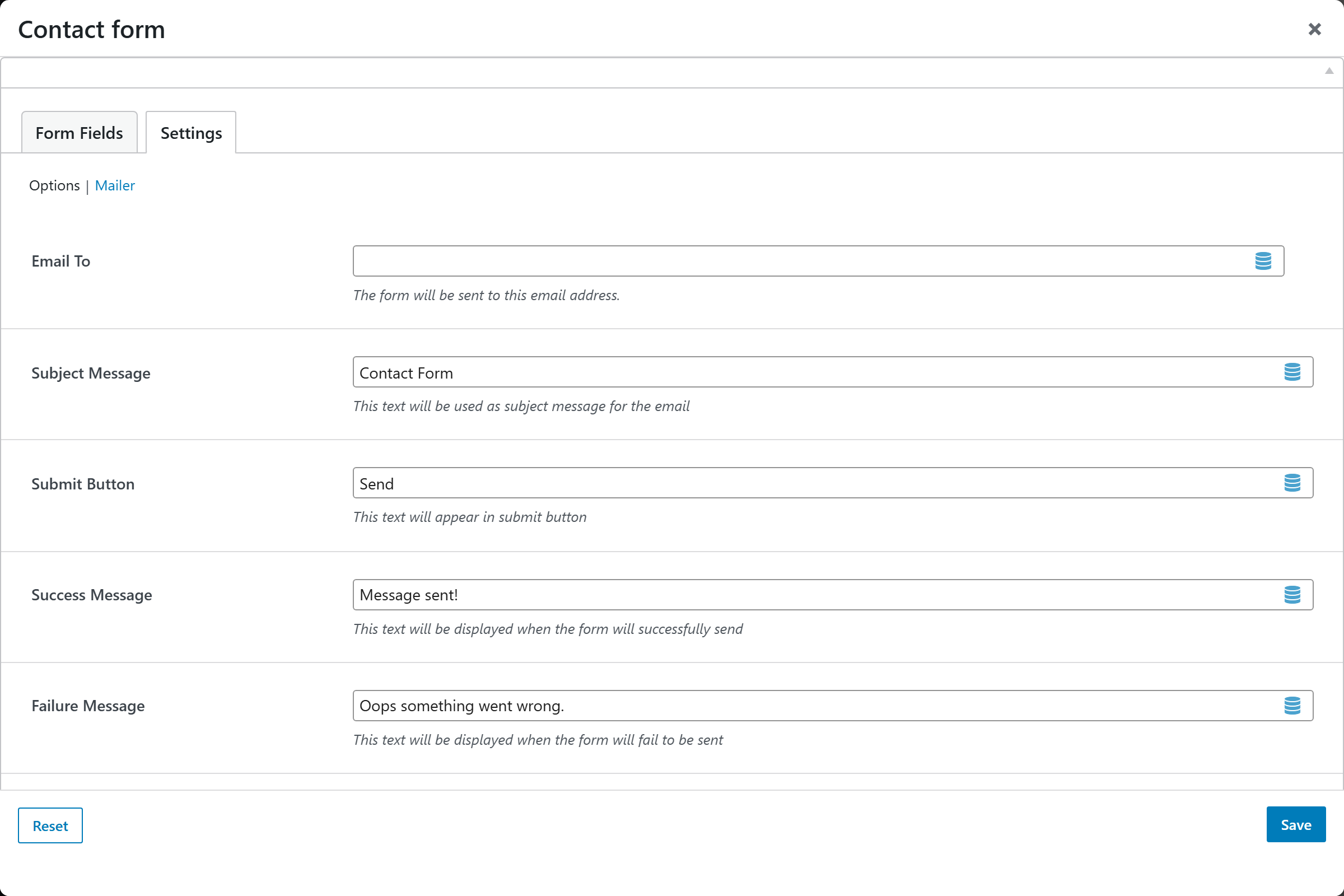
Settings → Options
| Option | Default |
|---|---|
| Email To | Recipient email address |
| Subject Message | Contact Form |
| Submit Button | Send |
| Success Message | Message sent! |
| Failure Message | Oops something went wrong. |
Settings → Mailer
- Mailer — the mail-service configuration (SMTP, etc.), shared with the Mailer extension.
Settings