Text Expander
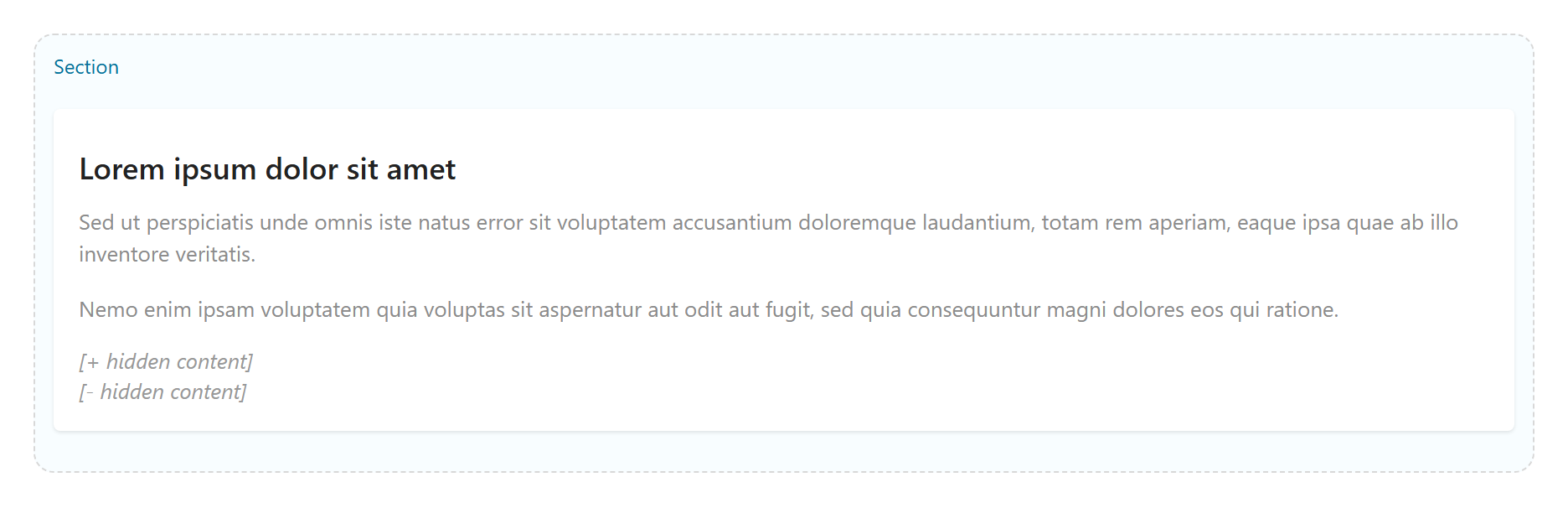
An inline read-more / reveal toggle — hide part of a sentence or paragraph behind a Show More button. Tabs: Content, Layout, Styling, Animations, Advanced.
Content
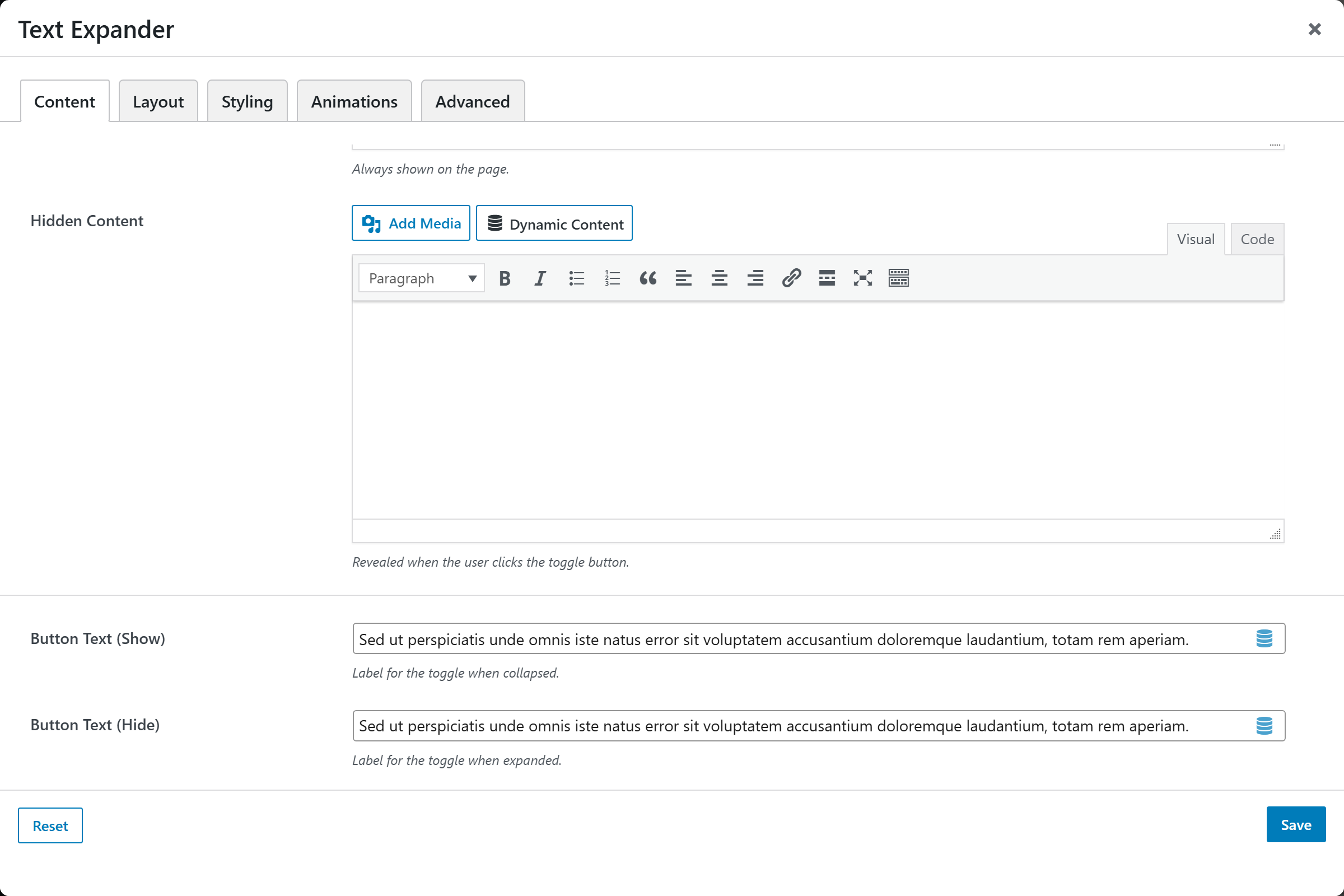
Visible Content, Hidden Content, Button Text (Show) (default "Show More"), Button Text (Hide) (default "Show Less").
Layout
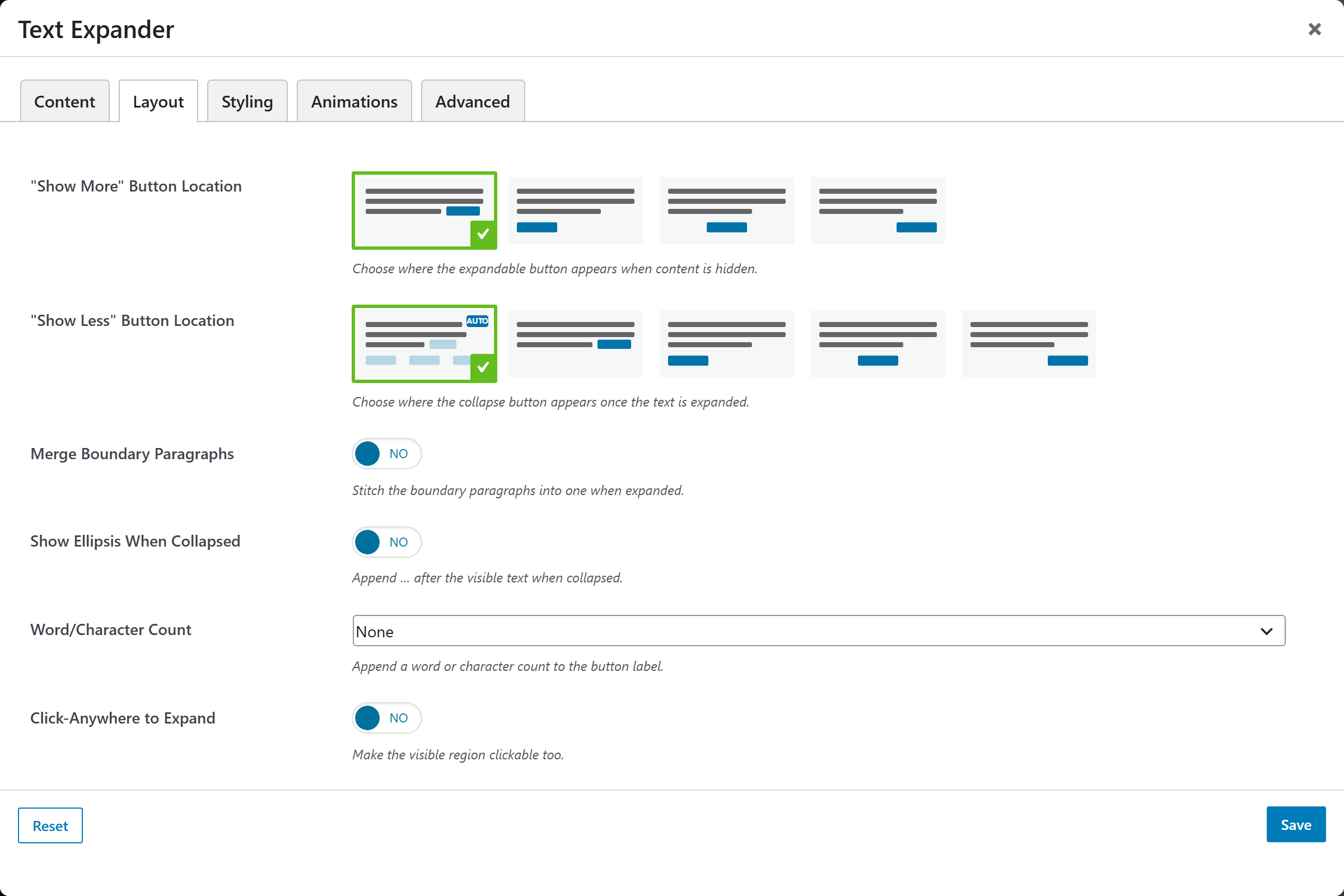
| Option | Choices |
|---|---|
| "Show More" Button Location | Image-picker of placements |
| "Show Less" Button Location | Image-picker of placements |
| Merge Boundary Paragraphs | On/Off |
| Show Ellipsis When Collapsed | On/Off |
| Word/Character Count | None, Word count, Character count |
| Click-Anywhere to Expand | On/Off |
Use Native <details> | On/Off (semantic HTML disclosure) |
Styling
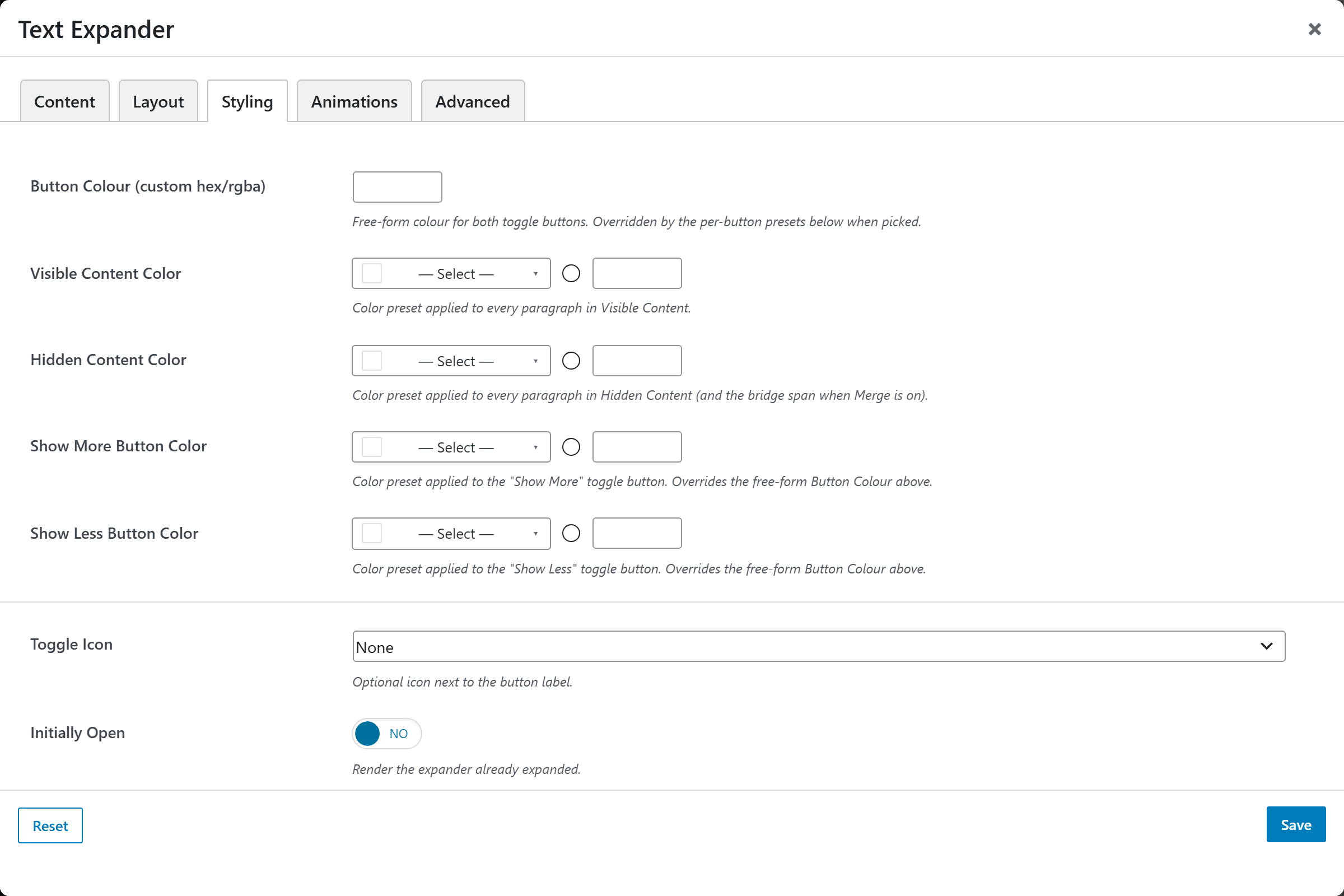
| Option | Choices |
|---|---|
| Toggle Icon | None, Chevron (rotates), Plus / Minus |
| Initially Open | On/Off |
| Colors | Visible/Hidden content, Show More/Less buttons (custom hex/rgba) |
Screenshots — toggle icons & states
Capture the collapsed/expanded states and toggle icons: text-expander-collapsed,
text-expander-expanded, text-expander-chevron.