Navigation Menu
Display a WordPress menu — for headers, footers, or anywhere on the canvas. The menu's items, structure, and sub-menus come straight from Appearance → Menus, so it stays in sync with the site. Options live under the Content and Advanced tabs.
Content
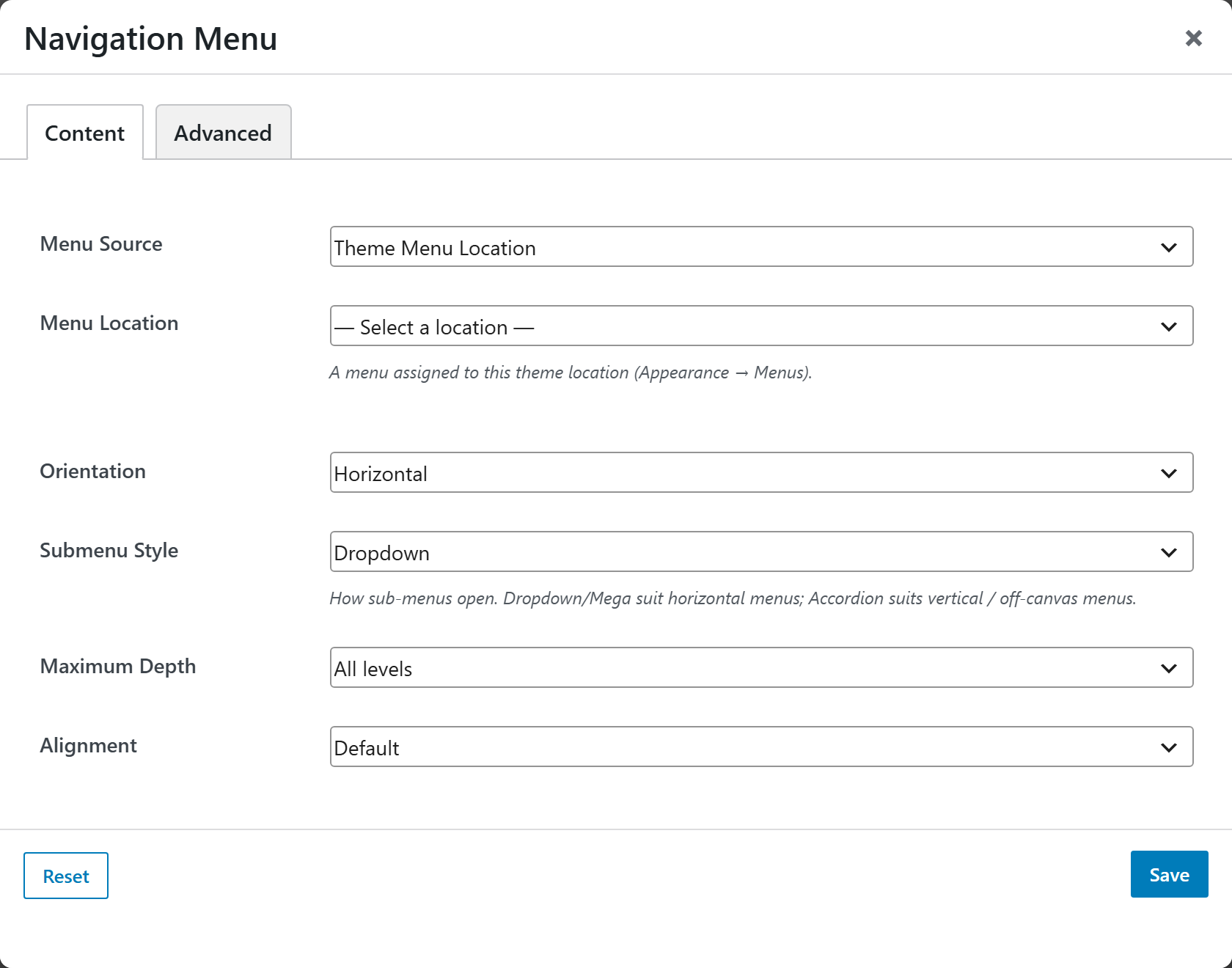
- Menu Source — choose where the menu comes from: Theme Menu Location (default) or Specific Menu. The picker reveals one field accordingly:
- Menu Location — when the source is a theme location, pick a menu assigned to that location (Appearance → Menus). The list is populated from the theme's registered nav-menu locations.
- Menu — when the source is a specific menu, pick any menu by name regardless of its assigned location.
- Orientation — lay the items out Horizontal (default) or Vertical.
- Submenu Style — how sub-menus open: Dropdown (default), Mega (full width), or Accordion (expand in place). Dropdown/Mega suit horizontal menus; Accordion suits vertical or off-canvas menus.
- Maximum Depth — how many menu levels render: All levels (default), Top level only, 2, or 3.
- Alignment — position the items: Default, Start, Center, End, or Justified (space between).
Advanced
Custom CSS class/ID, responsive visibility toggles, custom attributes, and margin/padding.