Newsletter
An AJAX email-signup form wired to your site mailer (the Mailer extension) and to a fw_newsletter_subscribe hook for list integrations like Mailchimp. Configure it across the Content, Design, Styling, Animations, and Advanced tabs.
Content
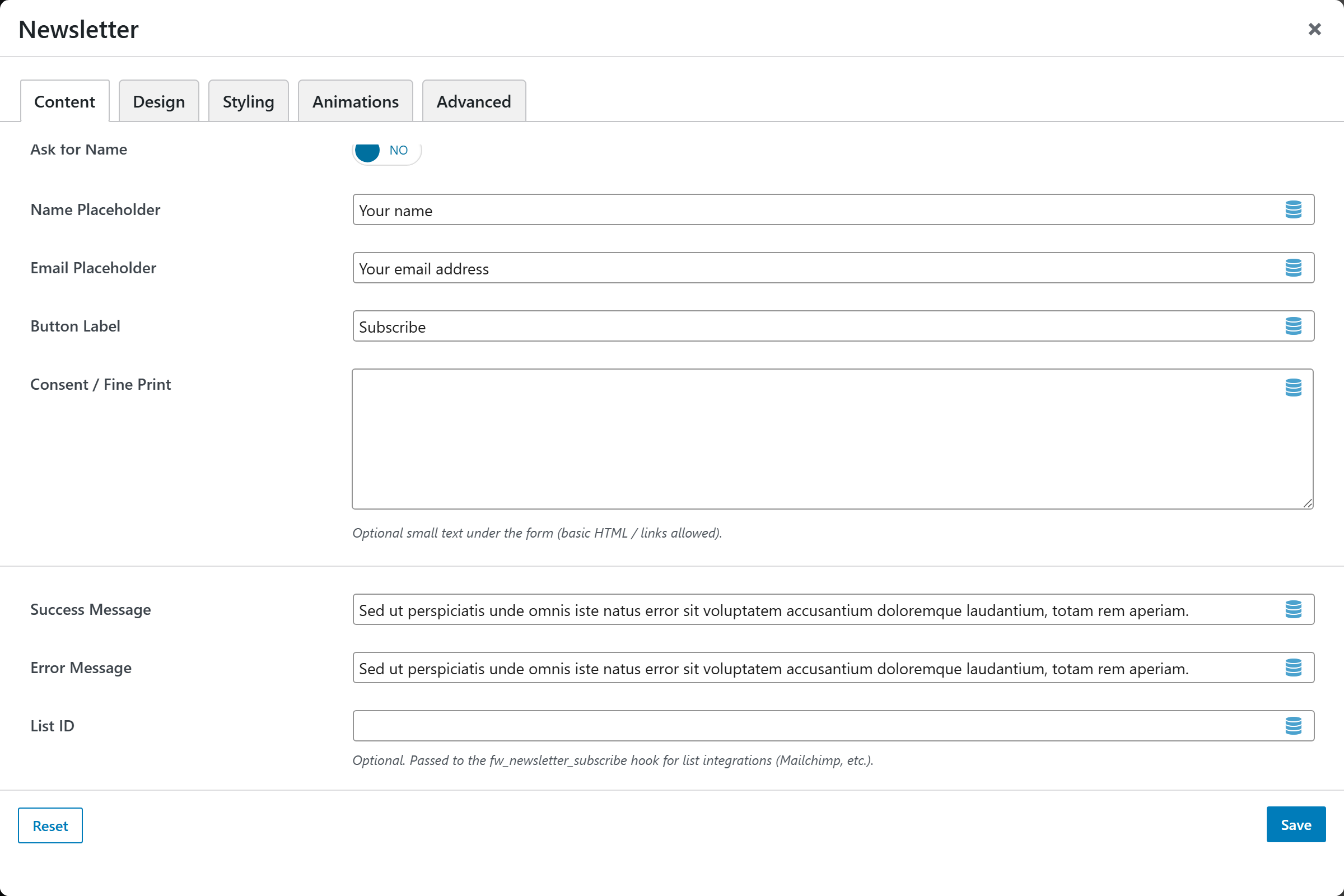
- Heading — the form's title; leave blank to hide. Defaults to "Subscribe to our newsletter".
- Description — supporting text under the heading. Defaults to "Get the latest updates straight to your inbox."
- Ask for Name — switch to add a name field alongside the email field. Choices: Yes / No (default No).
- Name Placeholder — placeholder for the name field. Defaults to "Your name".
- Email Placeholder — placeholder for the email field. Defaults to "Your email address".
- Button Label — submit-button text. Defaults to "Subscribe".
- Consent / Fine Print — optional small text under the form (basic HTML / links allowed).
- Success Message — shown after a successful subscription. Defaults to "Thanks for subscribing!".
- Error Message — shown when the submission fails. Defaults to "Something went wrong. Please try again."
- List ID — optional value passed to the
fw_newsletter_subscribehook for list integrations (Mailchimp, etc.).
Design
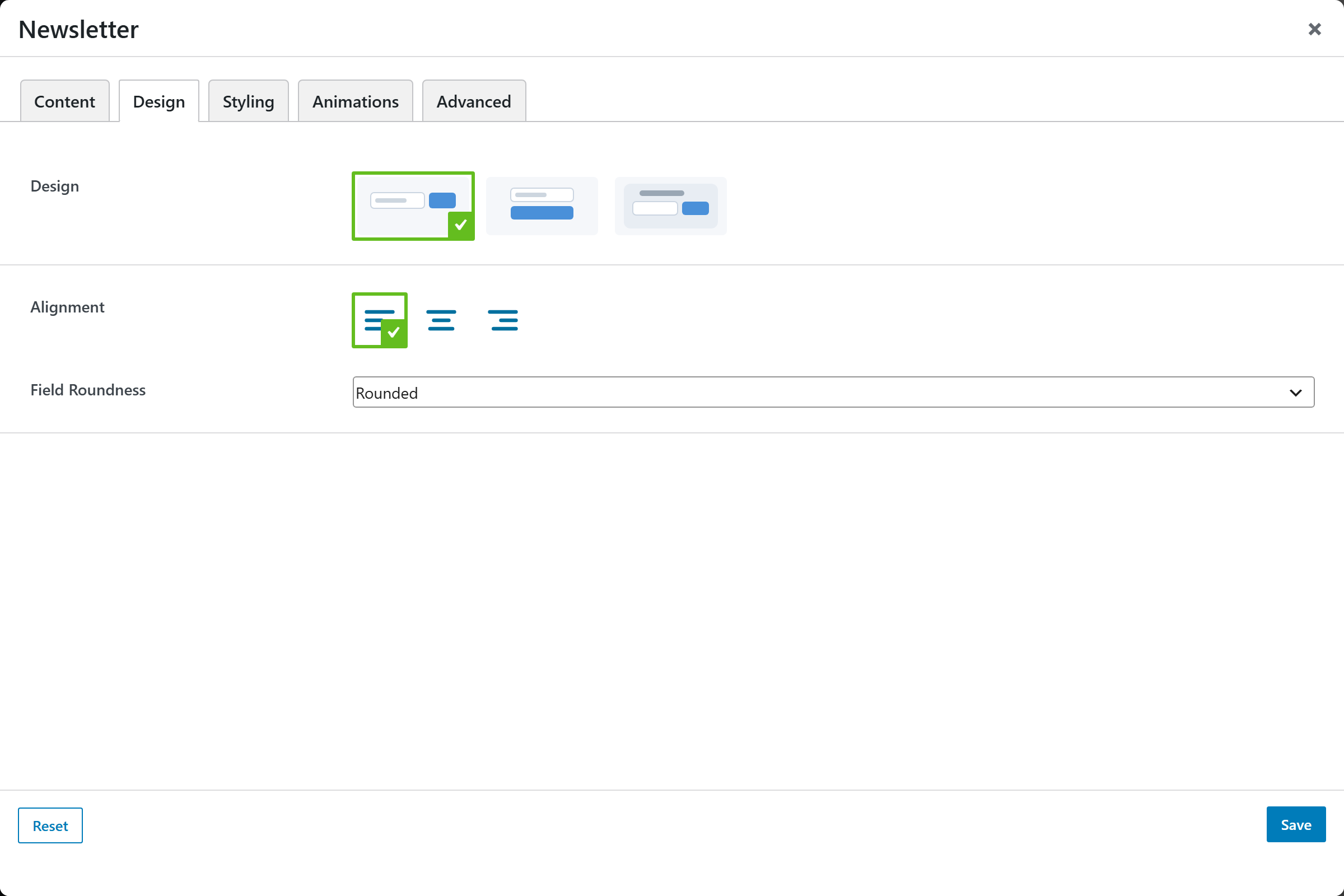
- Design — image-picker selecting the form layout from the registered presets. Defaults to
inline. - Alignment — horizontal alignment of the form. Defaults to left.
- Field Roundness — corner style of the inputs and button. Choices: Square / Rounded / Pill (default Rounded).
Styling
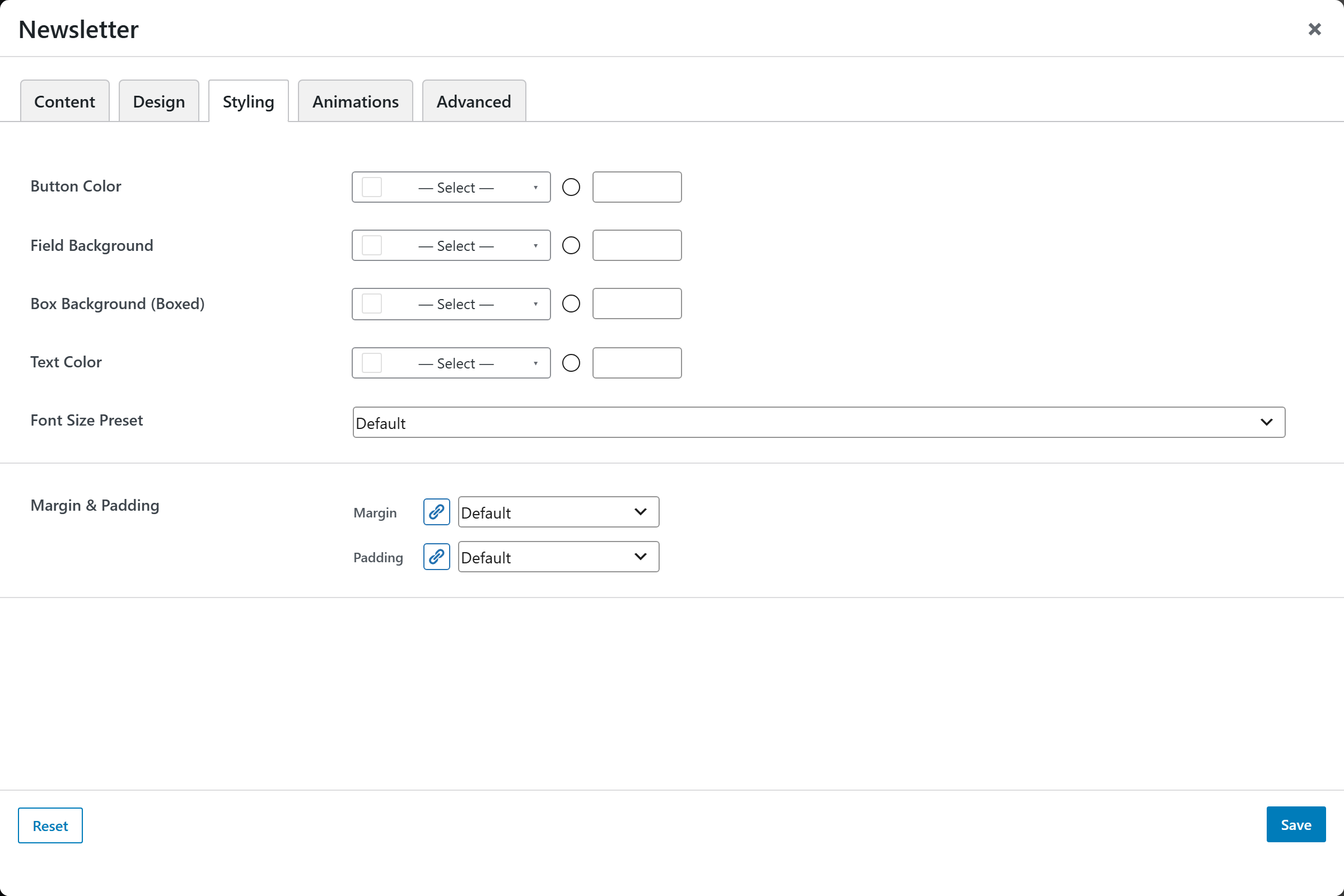
- Button Color — background color of the submit button.
- Field Background — background color of the input fields.
- Box Background (Boxed) — background color of the form box when a boxed design is used.
- Text Color — color of the heading and description text.
- Font Size — preset font-size scale for the form text.
- Margin & Padding — outer margin and inner padding of the element.
Animations
Standard entrance-animation controls (effect, duration, delay, offset).
Advanced
Custom CSS class/ID, responsive visibility toggles, custom attributes, and margin/padding.